FeishuApproval for Zoho CRM
This extension can submit CMR data to Feishu for approval , where you can centrally complete the approval information processing, enjoying a one-stop office experience.
Availability
Permission Required
- Applicable versions: Zoho CRM Enterprise, Zoho CRM Ultimate, CRMPlus, Zoho One.
- Only Zoho CRM administrators can install this extension.
In Feishu
2. Click Create Custom App, fill in the basic application information, and click Create.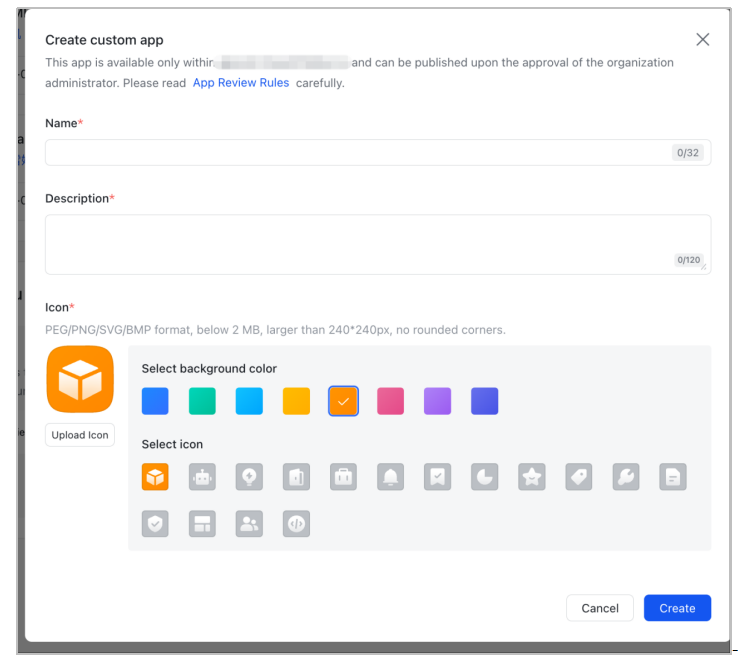
Configure Feishu Application
1. Click Permissions & Scopes, You can choose one of the two methods:
Method 1 - Batch add
All scopes related to Approval
All scopes related to Contacts
Method 2 - Batch import
- { "scopes": { "tenant": [ "contact:contact", "contact:contact:update_department_id", "contact:contact:update_user_id", "contact:department.base:readonly", "contact:department.hrbp:readonly", "contact:functional_role", "contact:functional_role:readonly", "contact:group", "contact:group:readonly", "contact:job_family", "contact:job_family:readonly", "contact:job_level", "contact:job_level:readonly", "contact:job_title:readonly", "contact:role:readonly", "contact:unit", "contact:unit:readonly", "contact:user.assign_info:read", "contact:user.department:readonly", "contact:user.dotted_line_leader_info.read", "contact:user.employee_number:read", "contact:user.job_family:readonly", "contact:user.job_level:readonly", "contact:user.subscription_ids:write", "contact:work_city:readonly", "tenant:tenant.product_assign_info:read", "approval:approval", "approval:approval.list:readonly", "approval:approval:readonly", "approval:definition", "approval:external_approval", "approval:external_instance", "approval:instance", "approval:instance.comment", "approval:task", "contact:contact.base:readonly", "contact:department.organize:readonly", "contact:user.base:readonly", "contact:user.email:readonly", "contact:user.employee:readonly", "contact:user.employee_id:readonly", "contact:user.gender:readonly", "contact:user.id:readonly", "contact:user.phone:readonly", "corehr:authorization:read", "corehr:process.instance:write", "passport:session_mask:readonly" ], "user": [ "approval:approval:readonly", "contact:contact.base:readonly", "contact:department.organize:readonly", "contact:user.base:readonly", "contact:user.email:readonly", "contact:user.employee:readonly", "contact:user.employee_id:readonly", "contact:user.gender:readonly", "contact:user.id:readonly", "contact:user.phone:readonly", "serviceaccount:approval:approvals:read" ] } }
2. Click the Configure button nearby Range of accessible data , go to Contacts > Configure > All Members > Save.
Note:
Suggest allowing access to All Members, otherwise it may lead to failure to submit approval data.
3. After modifying the configuration information of the application, a prompt "The current configuration will take effect after the app is published." will appear at the top of the page.
To publish the version:
- Click Create Version, fill in the information.
- Click Save.
- Click Publish, a message "The current changes have been published" will appear.
Create Approval template
1. Go to Approval Admin,Choose Create Approval.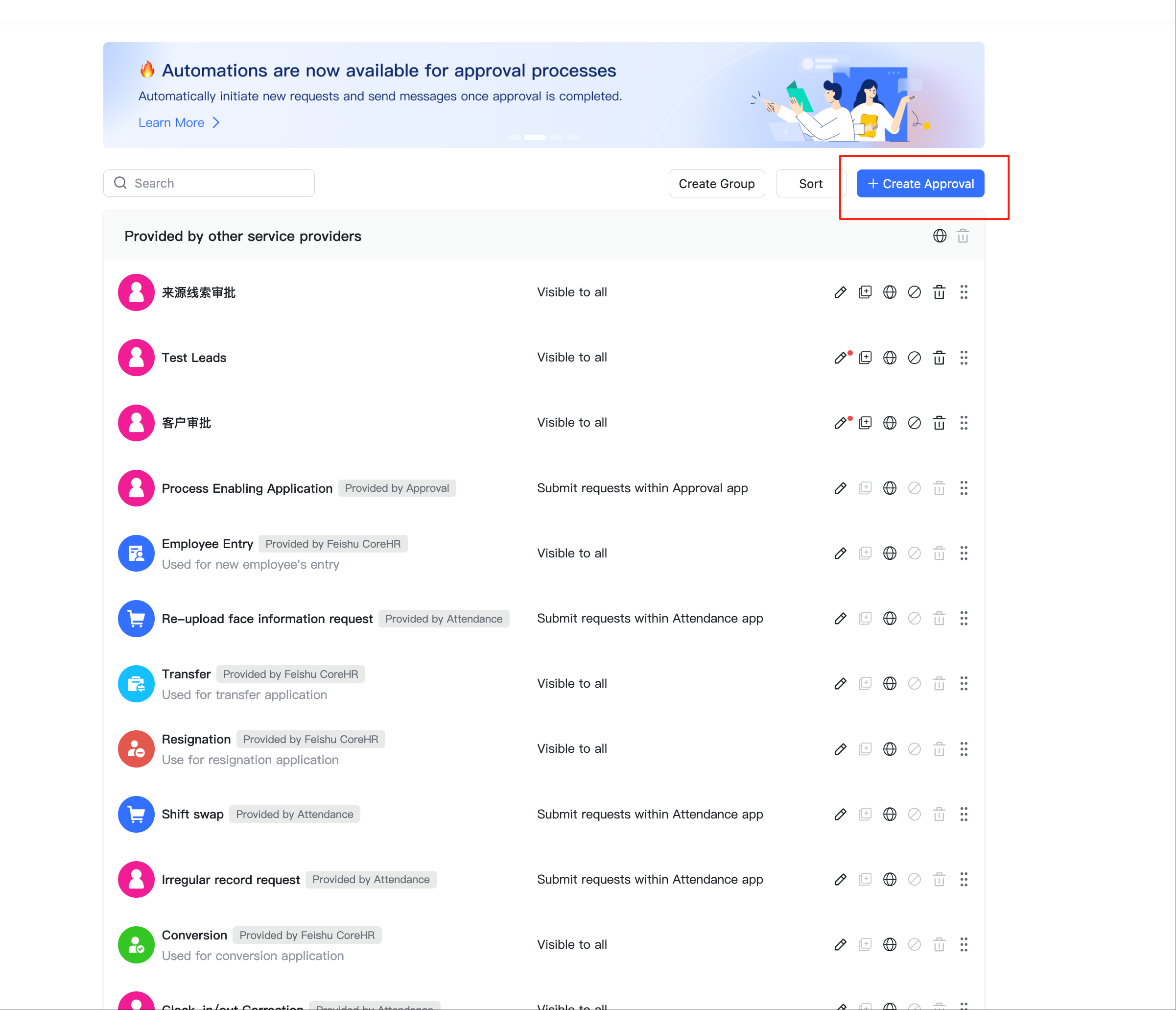
2. Click Create custom approval.
3. Follow the system prompts to create an approval.
Note:
- It is recommended not to enable the mandatory field option in the Form Design step.
- The following field types from Feishu are currently not supported: Document, Formula, Date Range, Data from Base, Image/Video, Attachment, Department, Link approvals, Address, Geolocation, Payee account, Serial no. , Widget Group, Electronic Signature,Description, Details/Table.
4. After complete the Subsequent configuration,Click Publish at the top right corner.
5. Go back to the approval list, find the newly created approval, and click the edit icon.
icon.
6. Copy the parameter value of definitionCode in the browser address bar of the current approval page.
This value is the unique code (Approval Code) of the current approval , which will be configured in Zoho CRM later.
This value is the unique code (Approval Code) of the current approval , which will be configured in Zoho CRM later.
7. Go to the Development Documentation, Configure subscription to approval events, and then click Try It.
8. To confirm whether the Application and Approval is available or not, you can test the Subscription to approval events as following:
Enter the definitionCode copied just now, click Get Token > Start Debugging. A return of success indicates success.
Install the extension in Zoho CRM
1. Go to Settings > Marketplace > All. Then browse and choose All Extensions > FeishuApproval extension to install.
2. Click Confirm.
3. After installation, enter the App ID and App Secret of Feishu
in the pop-up window.
4. In the extension settings page, configure the user mapping between CRM and Feishu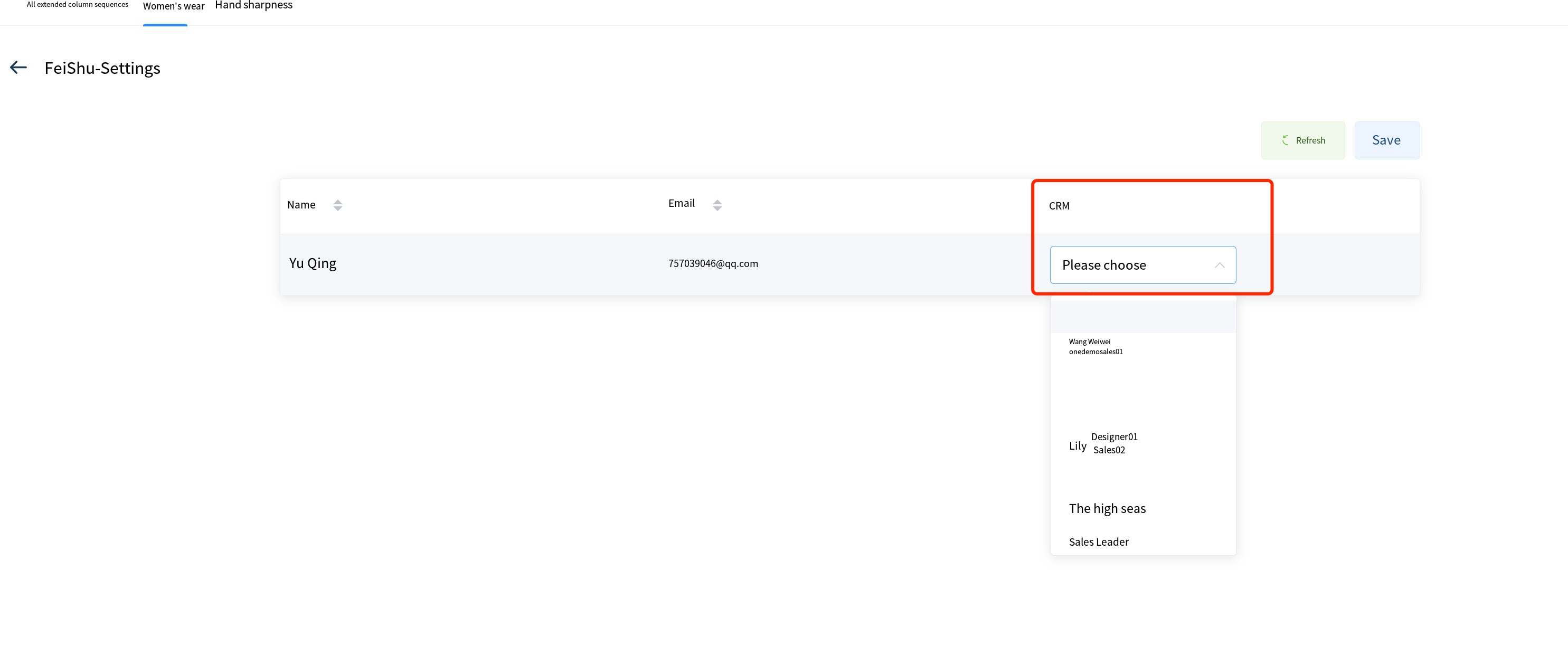
1. Go to Settings > Automation > Workflow Rules, create a new rule.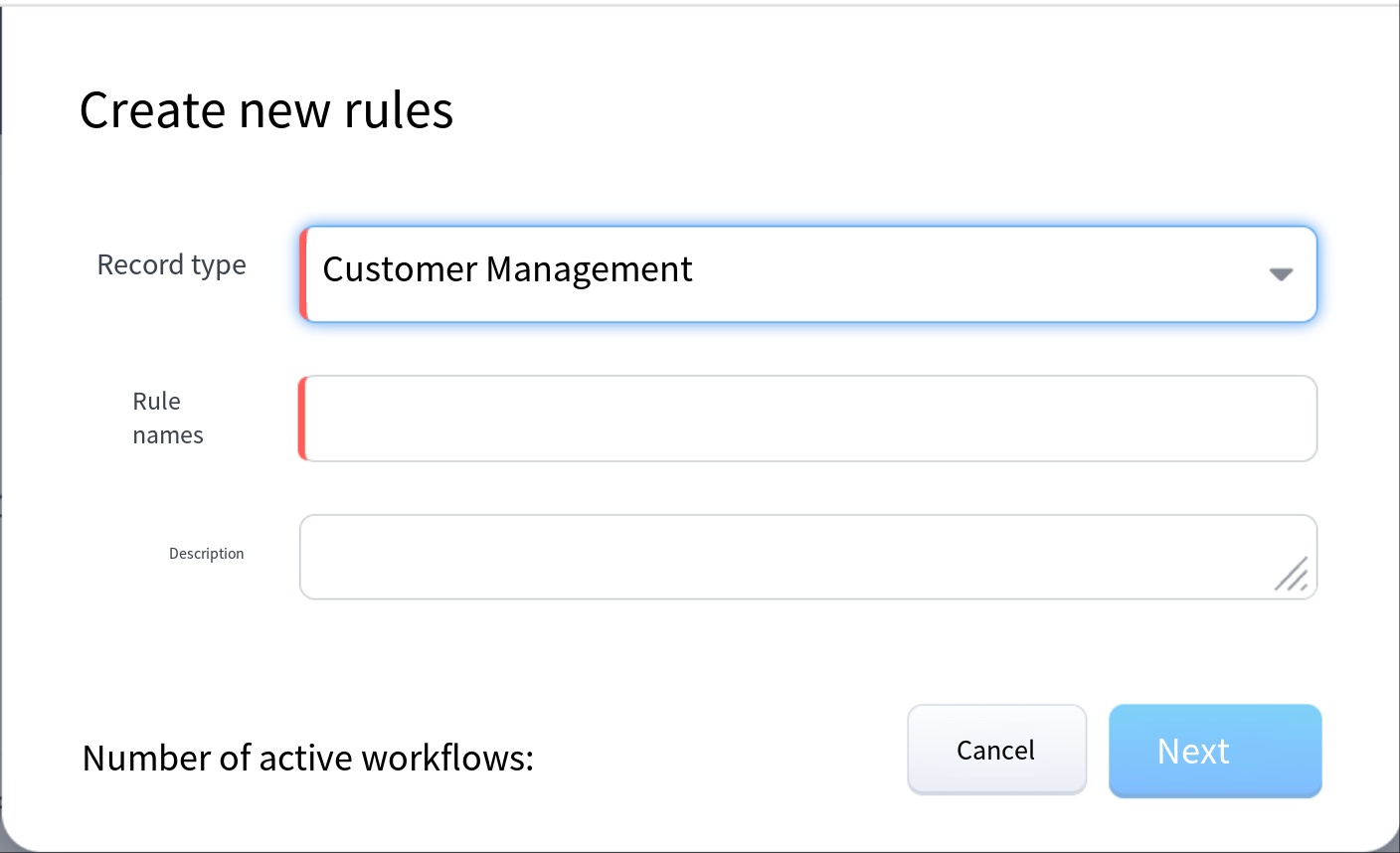
2. Set trigger conditions according to requirements.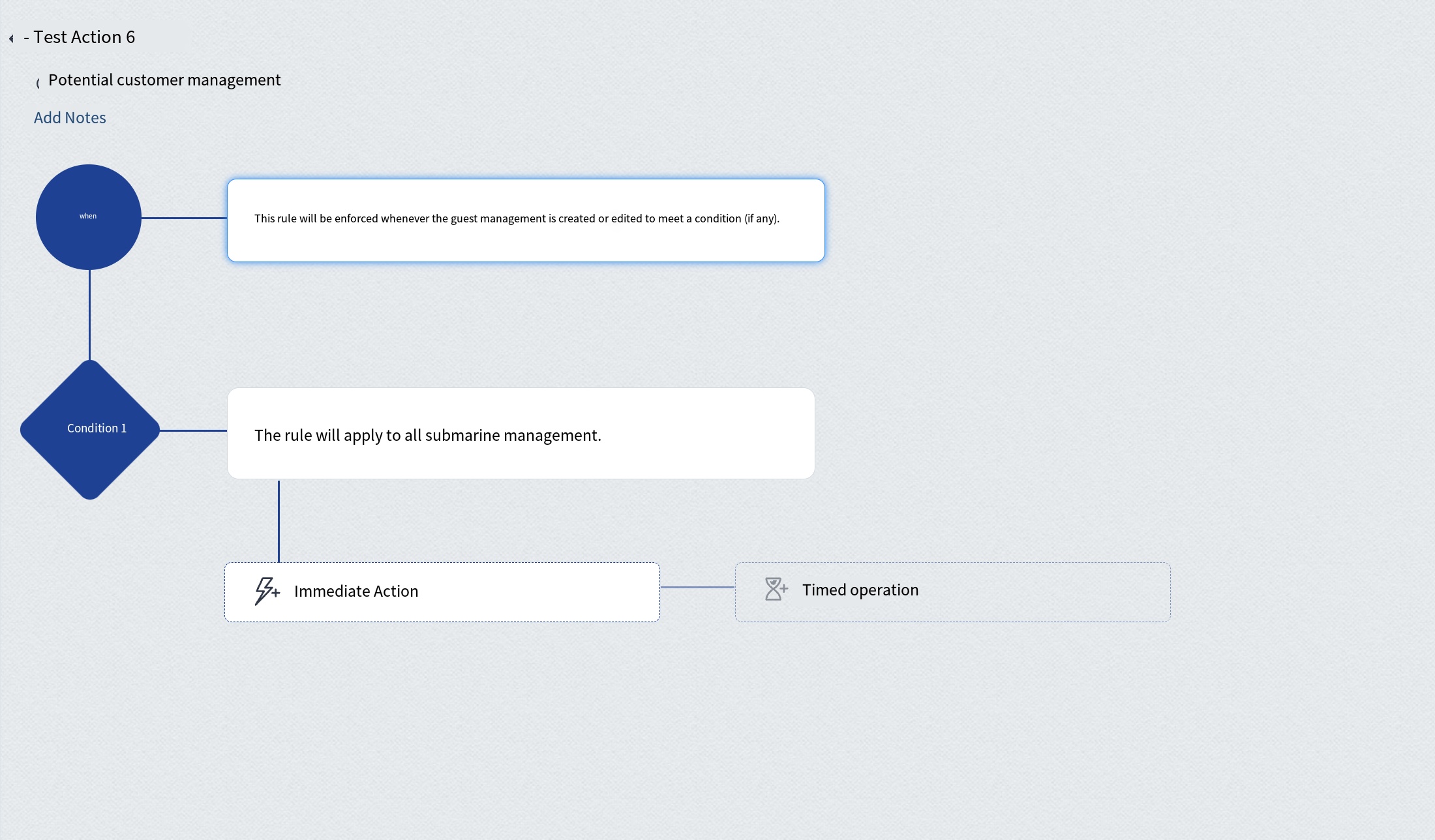
3. Add Action, and then choose Approval (Feishu).
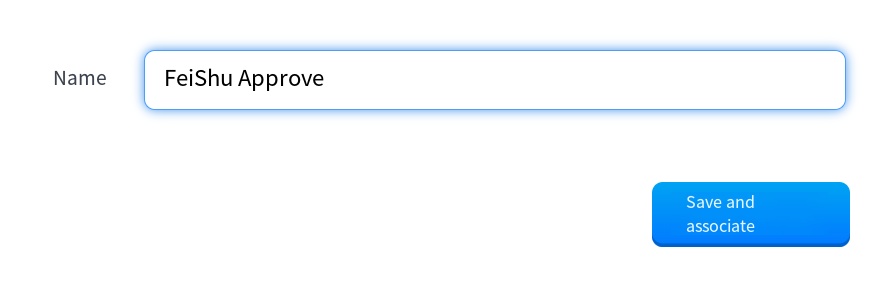
4. Enter the Approval Code(
definitionCode ) of Feishu, click the search button on the right.
5. Configure the field mappings.
Note:
- To SYNC the approval status from Feishu,you need to custimize a Single Line field and use its API Name to do mapping with Approval status field here within Zoho CRM.
- Fill in the corresponding API Name from Zoho CRM for the Approval definition field.
the functions and logs in the CRM system.
Benifits
1. After the Approval data is created, it can be viewed in the FeiShuApprovalData module of CRM.
Result of Approval Status
1. timer callback
After installing the extension, it will execute the approval status retrieval every 2 hours to update the data.
If the Approval Status field is configured as below, the approval status from Feishu will be updated to the specific field in Zoho CRM.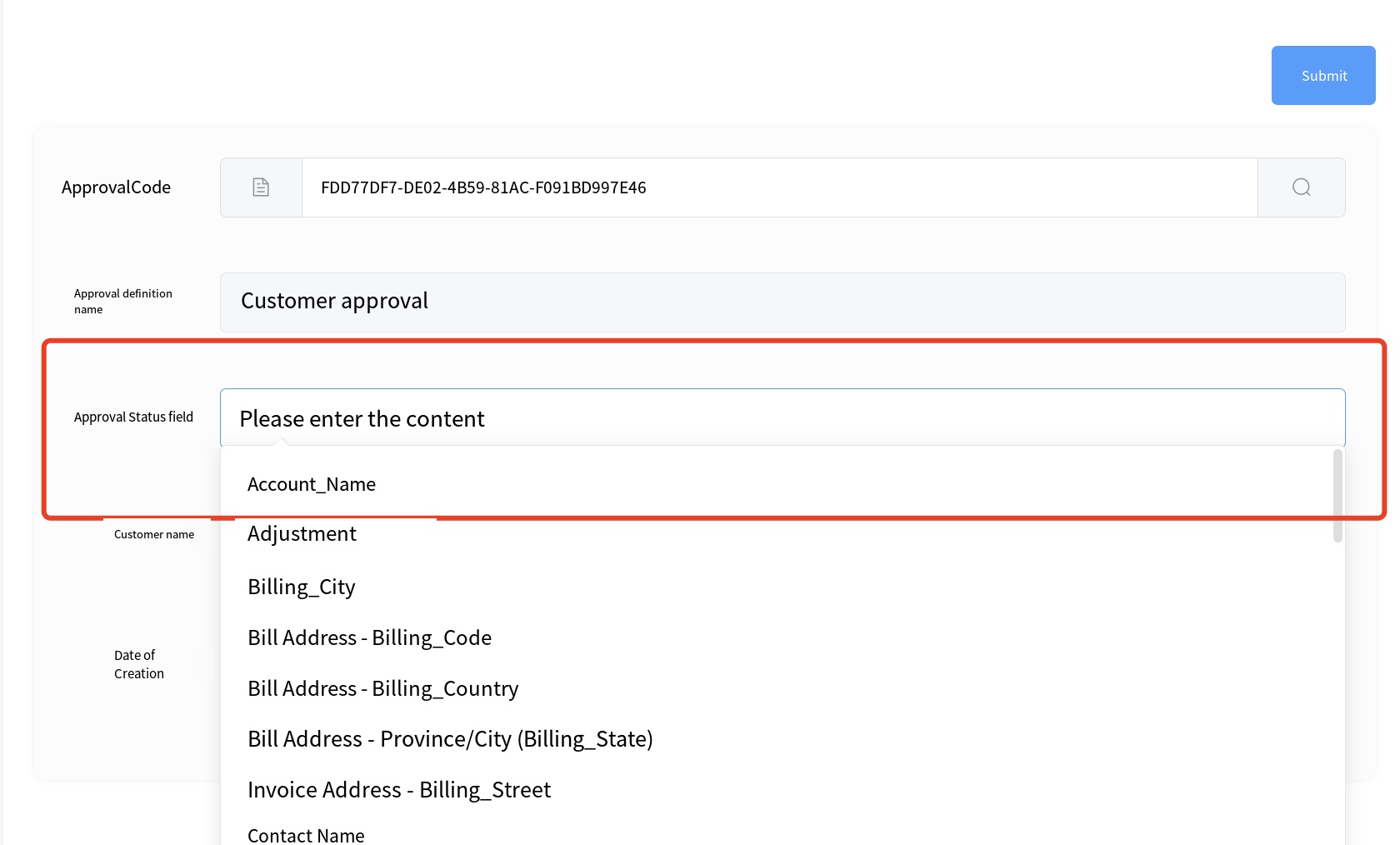
If the Approval Status field is configured as below, the approval status from Feishu will be updated to the specific field in Zoho CRM.
It is necessary to externally deploy a subscription for Feishu approval event callbacks, refer to the Feishu development documentation and ZOHO CRM API documentation for development and deployment.
